How I beat AI news overload in a five-minute chat


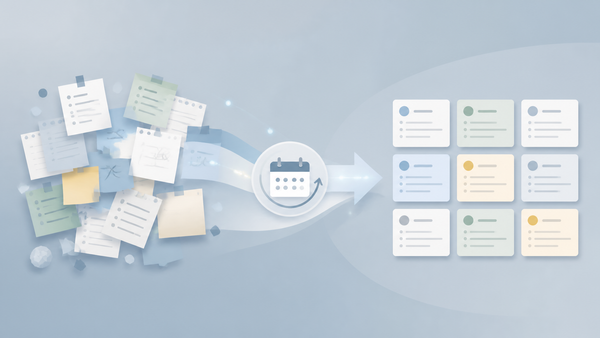
I read a lot of AI news, and most of it I don't need. Newsletters send everything. I have a big list of RSS feeds in my feed reader, and every time I open it I feel lost: hundreds of unread items, and no starting point. Social feeds bury what matters under hype. What I actually wanted was one thing: a morning brief that knows me, ranks what to read, and finds me wherever I am — including my work laptop, where Claude is blocked anyway.
So instead of reading a feed, I built a briefing service. And the surprising part: I didn't write code. I wrote a job description, gave it to Claude, and let its scheduled tasks run it every morning.
The full setup conversation is shared here, or keep reading for the parts that matter.
🧭 The idea: a briefing, not a feed
I wanted someone to collect, classify, rank, and remember. That is a job description, not a prompt. So I treated it like one.
I opened the Claude desktop app and typed:
Help me set up a scheduled task. Ask me what it should do, how often it should run, and when, then create it.
Claude asked for three things: what the task should do, how often, and when. It also warned me that every run starts as a fresh session with no memory of our conversation, so the task's own instructions had to carry everything: sources, categories, output format, and how I wanted results delivered.
My answer was short and honest:
I want to build AI news aggregator to read about the news every morning. Classify the news and recommend what to read first and what are the hot topics. I need to read this from anywhere. Example, I want to read it from my working laptop where Claude is blocked.
That last line — "from anywhere" — is the requirement that shaped everything else.
🧩 What Claude built
Every day at 07:28, my Mac's Claude desktop app runs the task automatically. It:
- Collects the last 24 hours of AI news from the labs' own blogs, agent and developer-tool release notes, Hugging Face Daily Papers, Hacker News, tech news sites, and EU AI Act news.
- Sorts each story into one of my four categories: Models & Labs, Agents & Dev Tools, Research, or Industry & Policy.
- Gives each story a priority, then picks 3–5 stories to read first, each with one line on why it matters to me.
- Names 3–5 hot topics, marked New, Rising, or Continuing.
- Writes the brief to
Tech/AI/News/YYYY-MM-DD AI News.mdin my Obsidian vault, with the tagstech/aiandtech/ai/news.
The brief is written in plain English, expands acronyms, and ends with a glossary. That sounds like overkill until you reread yesterday's brief a week later.
📬 Delivery matters as much as the intelligence
The brief isn't only in my vault. Each run also sends me a short version — the TL;DR, the read-first links, and the hot topics — by email and push notification.
That is the part that makes this actually useful. My work laptop blocks Claude, and my vault doesn't sync there anyway. Email doesn't care. I read the summary in my inbox, click through to the story itself, and I'm done before a newsletter would have told me what happened yesterday.
🔁 The details I wouldn't have thought of
A few choices Claude made that surprised me, in a good way:
- 07:28, not 07:30. Many scheduled tasks start exactly on the half hour, and those runs can get delayed. Two minutes off the boundary bought me reliability.
- Automatic approval. Nobody is watching a 07:28 run. The task's actions run without asking first, which is the only way an unattended run can actually finish.
- Rolling memory, no database. The task reads its own last three briefs to spot what it already covered, so the same story doesn't repeat. State lives in my vault.
- Vault rules respected. My weekly vault clean-up would happily delete stray notes. Because the brief goes to the right folder with the right tags, the clean-up leaves it alone. That clean-up deserves a post of its own — I'll write about it in the future.
These details are the difference between a demo and something that runs unattended every day.
⚠️ The catch
The task runs on my Mac. So my Mac has to be on at 07:28, with the Claude desktop app open. If the Mac is off, the run still sends the email version, but no vault note gets written that day.
For now, that is fine. The email is the durable part anyway, and keeping the Mac awake removes the risk.
🔗 What I learned
- Prompt design, at this scale, is service design. You are spec'ing a small system: sources, taxonomy, output format, storage rules, delivery channels.
- Where the output lands is part of the design, not an afterthought. The folder and tags decide whether the output survives your own clean-up habits.
- You don't always need a database. Reading your recent outputs is enough memory for a lot of useful things.
- Intelligence is useless if you can't read it from the machine you're actually on. Redundant delivery channels beat clever features.
You don't need a product or an API pipeline for this. Claude's scheduled tasks — or any agent with a scheduler — can stand in for a small internal team: a researcher, a classifier, an editor, and a courier.
Describe the job. Let it run. Read your brief.
🔗 Conclusion
This started as "I want to read AI news every morning" and ended as a daily automated brief. The interesting part is not that Claude can do it. It's that the setup conversation took about five minutes, and the hard parts were the boring details: off-peak schedule, tags matching my vault, and an email fallback for the laptop where Claude is blocked.
If you have an AI assistant with scheduled tasks, try describing your own morning brief. The more precise you are about where it lands and how it reaches you, the more it feels like a briefing service instead of a chatbot.